SnapScan: AI-Powered Screenshot Organizer
Capture screenshots with global hotkeys, auto-label with local AI vision, and search your entire library instantly.
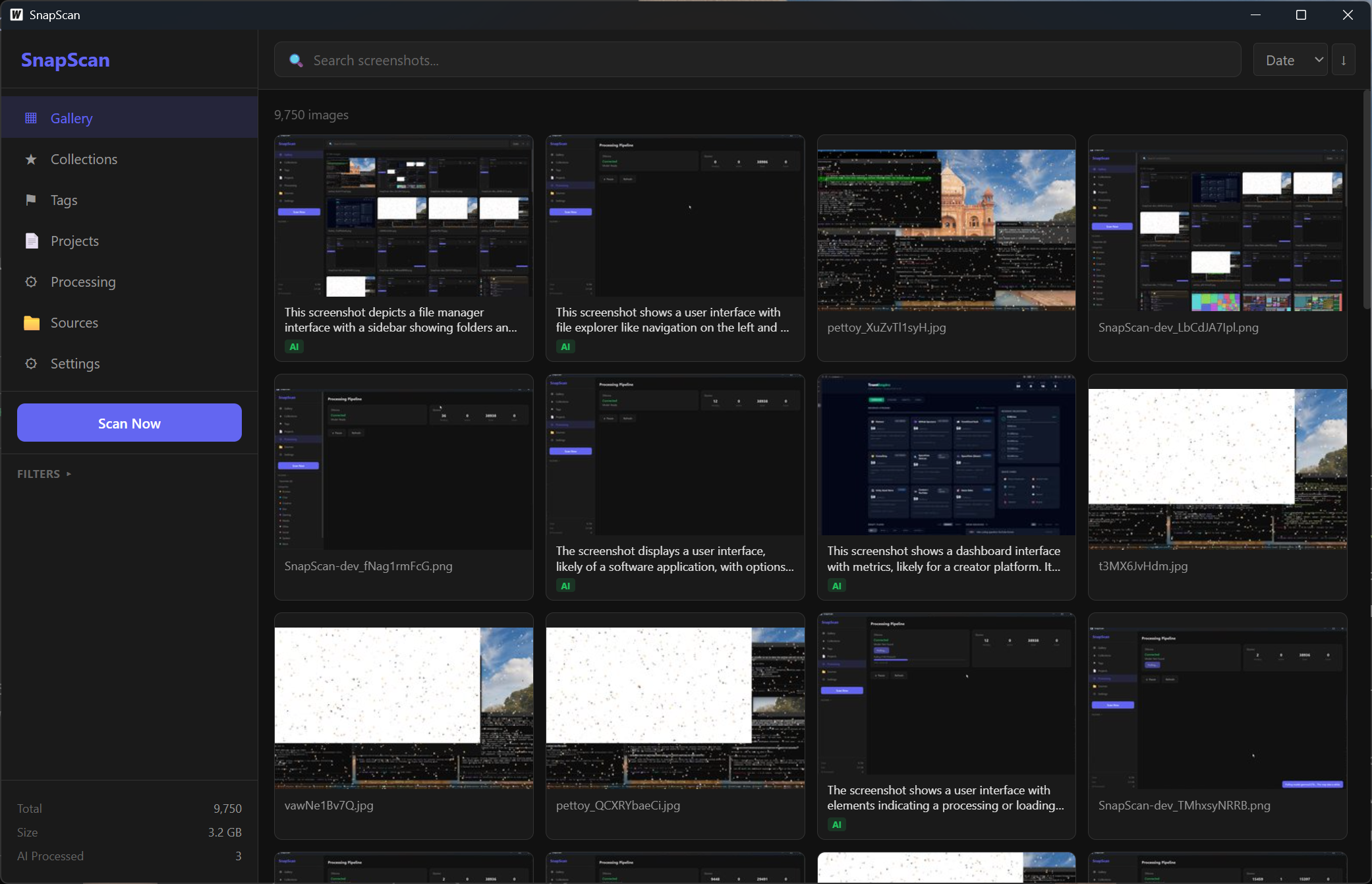
The Problem
I have thousands of screenshots. You probably do too. They sit in a folder called Screenshots with names like Screenshot 2026-02-17 143052.png and you never find anything ever again.
ShareX is great at capturing screenshots. It’s not great at telling you what’s in them. I wanted something that captures, labels, categorizes, and lets me actually search my screenshot history like a real database. So I built SnapScan.
Capture
SnapScan has built-in screen capture with global hotkeys. Shift+PrtSc grabs your full screen, Alt+PrtSc lets you drag-select a region. Every capture auto-copies to your clipboard and plays a sound so you know it worked. Then it flows straight into the AI pipeline - no manual step, no extra clicks.
It’s the same capture-and-go workflow you’d expect from ShareX, just with everything that happens after the capture being way more useful.
AI Vision Labeling
This is the core of SnapScan. Every screenshot gets fed through Gemma 3 27B running locally via Ollama. The vision model looks at the image and generates:
- A natural language description of what’s on screen
- Categories (Dev, Gaming, Social, Browse, Work, Creative, Media, Chat)
- Tags for quick filtering
- OCR text - any readable text in the screenshot gets extracted
All of this happens locally on your machine. No cloud API calls, no accounts, no data leaving your system. Your screenshots stay yours. With a decent GPU the labeling is fast enough that it just runs in the background while you keep working.
Search & Organize
Once your screenshots are labeled, SnapScan gives you full-text search across everything - AI descriptions, OCR text, filenames, tags, all of it. Looking for that error message you screenshotted three months ago? Just search for it. Trying to find every screenshot from a specific game? Search by tag or category.
Auto-categorization sorts screenshots into buckets automatically. You can also create Collections and Projects for manual organization, with bulk tagging when you need it.
SnapScan indexes over 10,000 screenshots in under a minute, so even pointing it at years of accumulated screenshots is no problem.
Tech Stack
The stack is Go backend, Svelte frontend, glued together with Wails. I went with Wails because I wanted a native desktop app without shipping Electron’s memory footprint. Go handles the capture pipeline, SQLite database, and Ollama integration. Svelte handles the UI - fast, reactive, minimal boilerplate.
SQLite stores all the metadata and powers the full-text search. Ollama runs the vision model locally. The whole thing is a single binary with no external dependencies beyond having Ollama installed.
This combo gives me a lightweight native app that starts instantly and doesn’t eat 500MB of RAM just to show a grid of thumbnails.
Status
SnapScan is going private. The repo is on GitHub but not public. I built this primarily for myself - a tool that fits exactly how I work. It scratches a very specific itch: capture fast, label automatically, find anything later. If you’ve ever scrolled through hundreds of identically-named screenshot files trying to find one specific thing, you know why this exists.